
 brothy
The screen
The top line, the Files / Outline / Info panel, the document, the ghost line and the progress line.
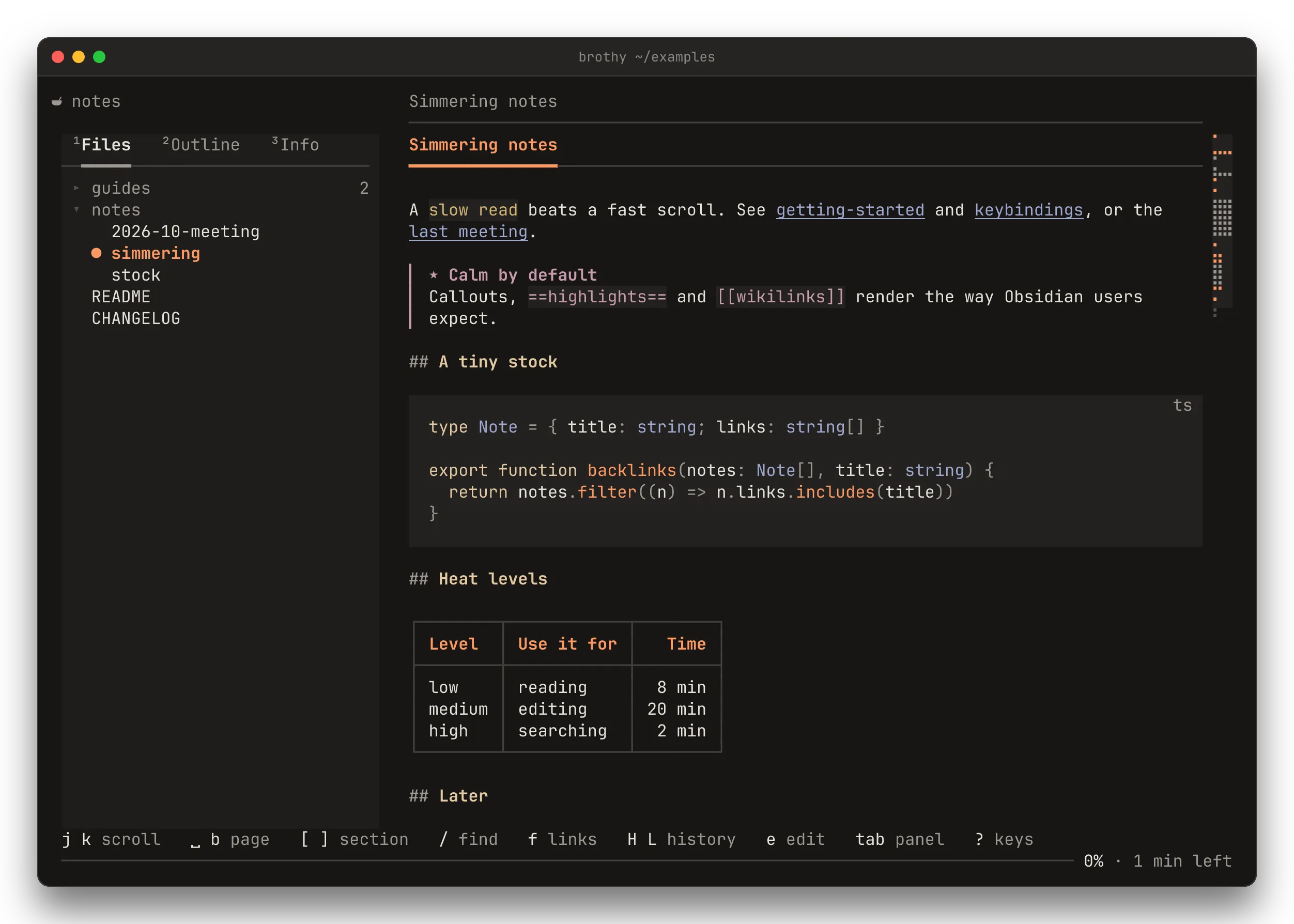
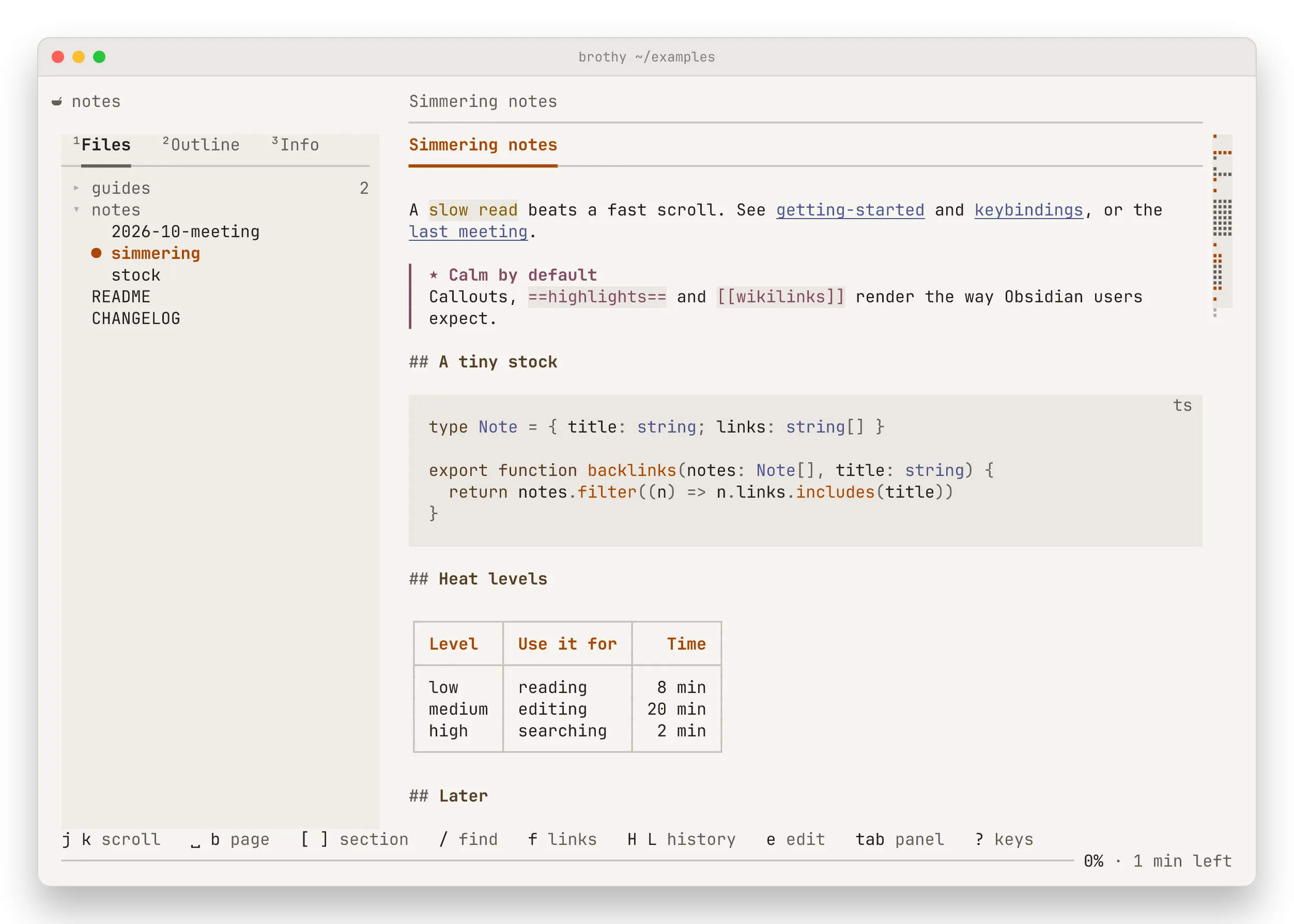
 examples / README › Why another reader?                          /the 2/7   source
  ¹Files   ²Outline   ³Info         ## Why another reader? ──━━━━━────────────────────────  ▸ guides                     2    Most terminal pagers dump Markdown as plain text.  ▸ notes                      1    brothy renders it: headings, lists, tables, code  ● README                          with highlighting, quotes and task lists.    CHANGELOG                                    • Folder tree with fuzzy filter                                    • Find in document with n / N
↑↓ move ⏎ open h l fold / filter 1 2 3 view tab document ? keys ──────────────────────────────────────────────────────────── 34% · 3 min left- Top line: a running head. The bowl logo (a Nerd Font glyph) at column 0 is muted while the file is watched, bright for a second after a live reload and gone while the file is missing. Over the panel sits the note’s folder (
Home / … / Onion Soupswhen it is long; the vault name for a root note). From the text’s left edge: title › section, the title dimmed while the note’s own heading is on screen. At the text’s right edge:/query i/nwhile a search is active,sourceandwide. A faint rule under it spans the text column. Without the panel (drawer, ctrl+b) the folder joins the title and is the first thing dropped. - Panel: 1 2 3 switch between Files, Outline and Info (the tabs carry their number,
¹Files; the rule under the open tab is accent while the panel has focus). Files expands only the open note’s path, shows folder counts, and - tidies the tree; / filters inline with ranked results. Outline marks the heading you are reading. Info shows the AI TL;DR (when asked for), the sections changed by the last live reload, properties, tags, links and stats. Below 100 columns the panel becomes a drawer with a scrim. - Document: borderless, at an 80-column measure at most and centred. w switches to full width (saved).
- Ghost line: key hints that appear when the context changes and then fade; also shows toasts.
- Progress line:
34% · 3 min left. - Minimap: from 110 columns, a braille map of the note at the right edge. See Reading.
brothy scans the folder recursively for .md, .markdown and .mdx files, skipping node_modules and hidden folders (except .github). Symlinked folders are followed once, never in a loop. Folders are collapsible and README comes first. A scan stops after 20,000 directory entries (so brothy ~ stays responsive) and the panel says “scan stopped at 20k entries — some notes missing”.