
 brothy
What changed
The sections changed on disk are numbered in the text and listed in Info; D asks a model to explain the change.
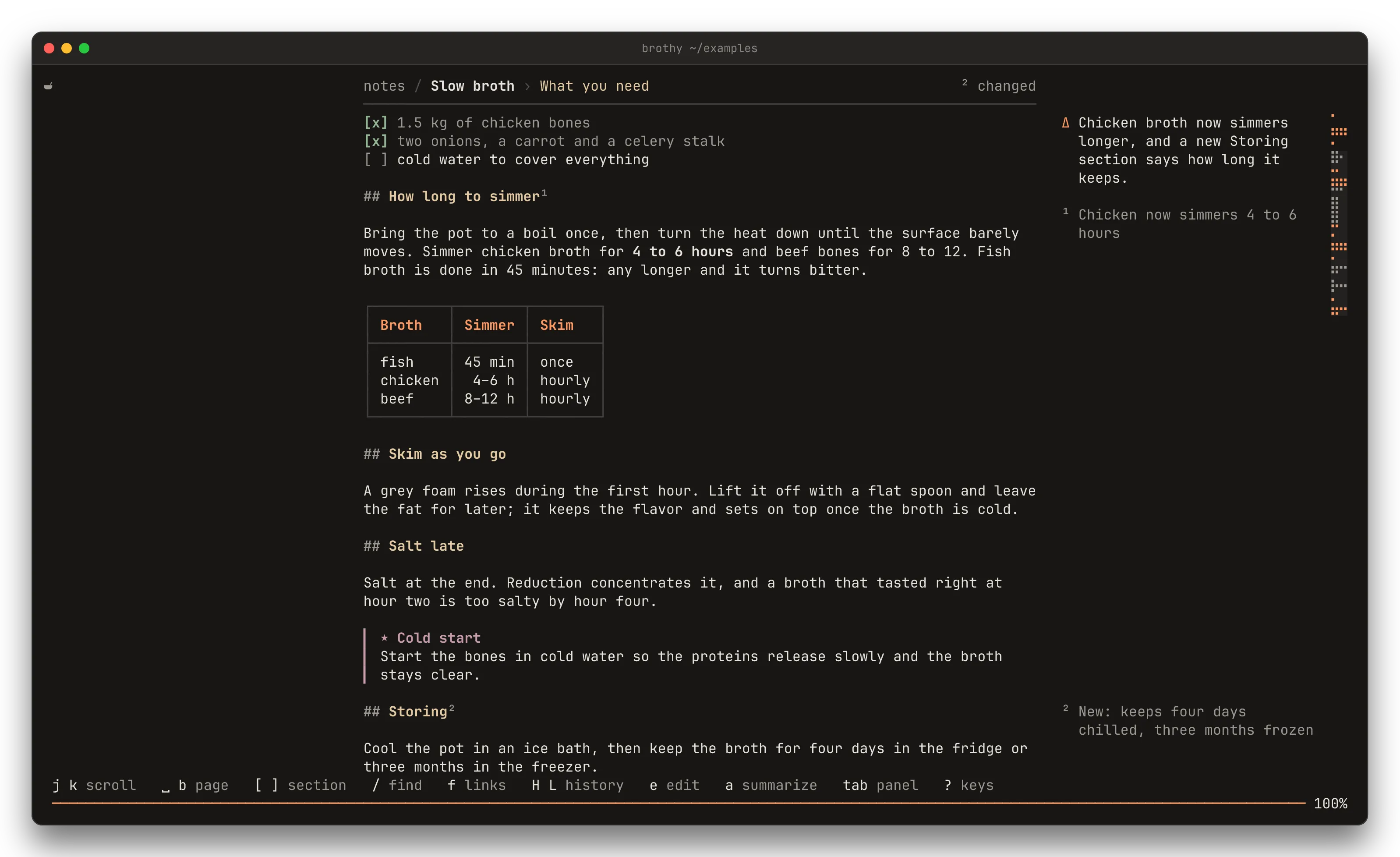
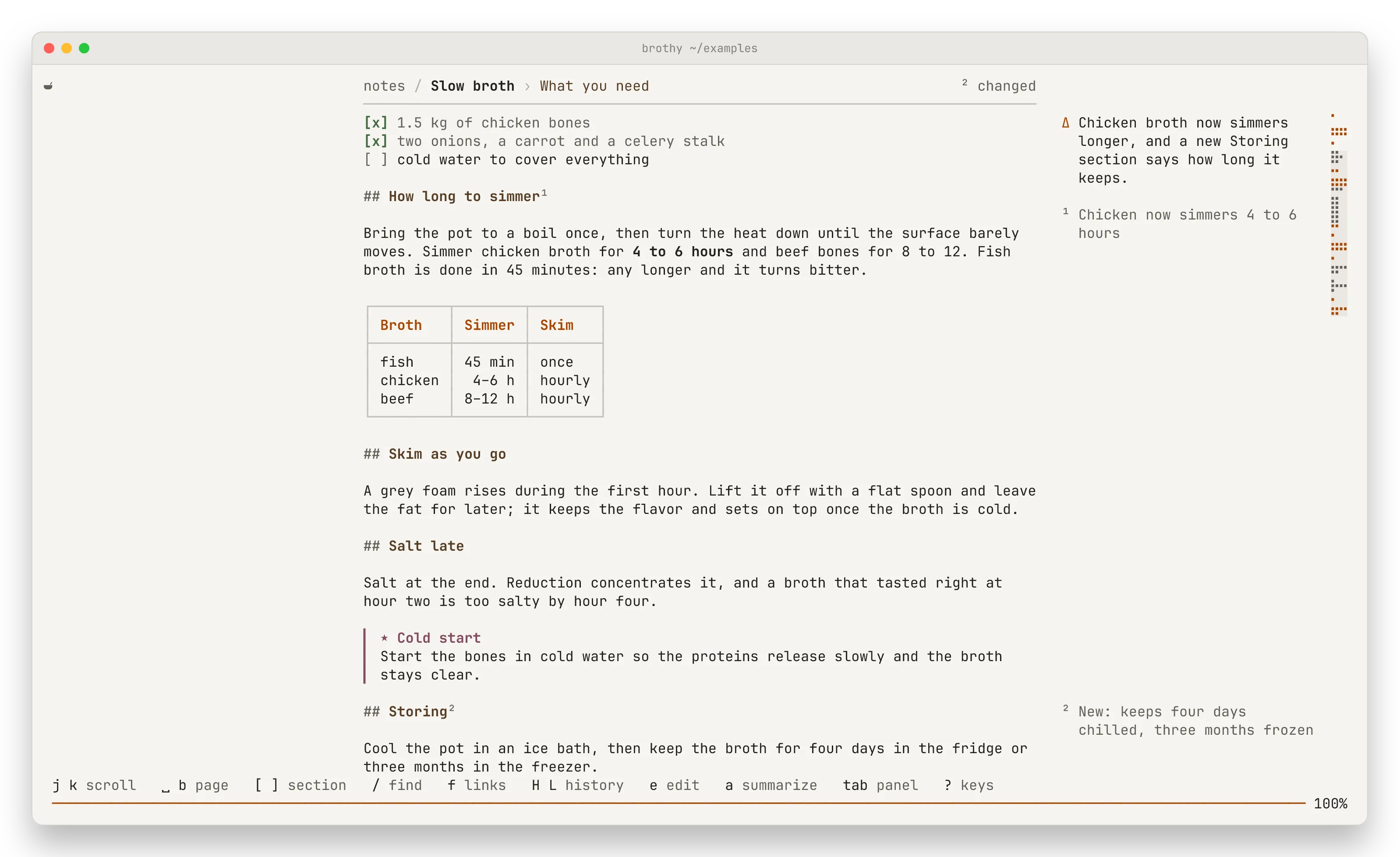
When the open note changes on disk (an editor, Obsidian, a coding agent), each changed section gets a number after its heading (## How long to simmer¹; a removed section’s number sits in the margin where it was), the running head says ³ changed, the Info tab lists them (¹ How long to simmer +2 −2; an added one says new, a removed one is struck through; past 8 a + n more sections row opens the rest) and the toast says reloaded · ³ sections changed. All that is local and works without an ai block; it compares with the text the note had when you opened it, held in memory only.
Explain it
Section titled “Explain it”D sends only the changed hunks. While the model works, Info shows ▍ asking <model> · 3 s where the reply will go; then one or two sentences about the change and a few words under each section, and the numbers turn muted.
⏎ on a changed section goes there (to the changed line when the reply quoted one, with the number beside it) and shows its note in a footnote under a short rule, ¹ of 3 · ] next. [ ] walk the changes, 3 opens Info, esc hides the footnote.
- ⏎ on the
Changedlabel opens the Proof sheet (below). - Below 100 columns D goes straight to the first change and the explanation arrives in its footnote.
- With the panel hidden and room in the right margin (155 columns, 147 without the minimap) the notes sit beside their headings instead, the summary on top.
- Once explained, the baseline moves forward, so the next edit lists anew and the explanation stays, dimmed, under
Earlier. - D again cancels. A failure stays in the block (
✗ …) and D retries. - Past the size cap later sections are listed by heading while they fit, then counted (
… and 12 more sections); a reply that runs long keeps its summary and the section notes it finished. - A note over 2 MB is not compared (
not compared,reloaded · too large to compare). The same goes for a reload that rewrites too many lines to compare quickly. - Explanations are never written to disk.
The Proof sheet
Section titled “The Proof sheet”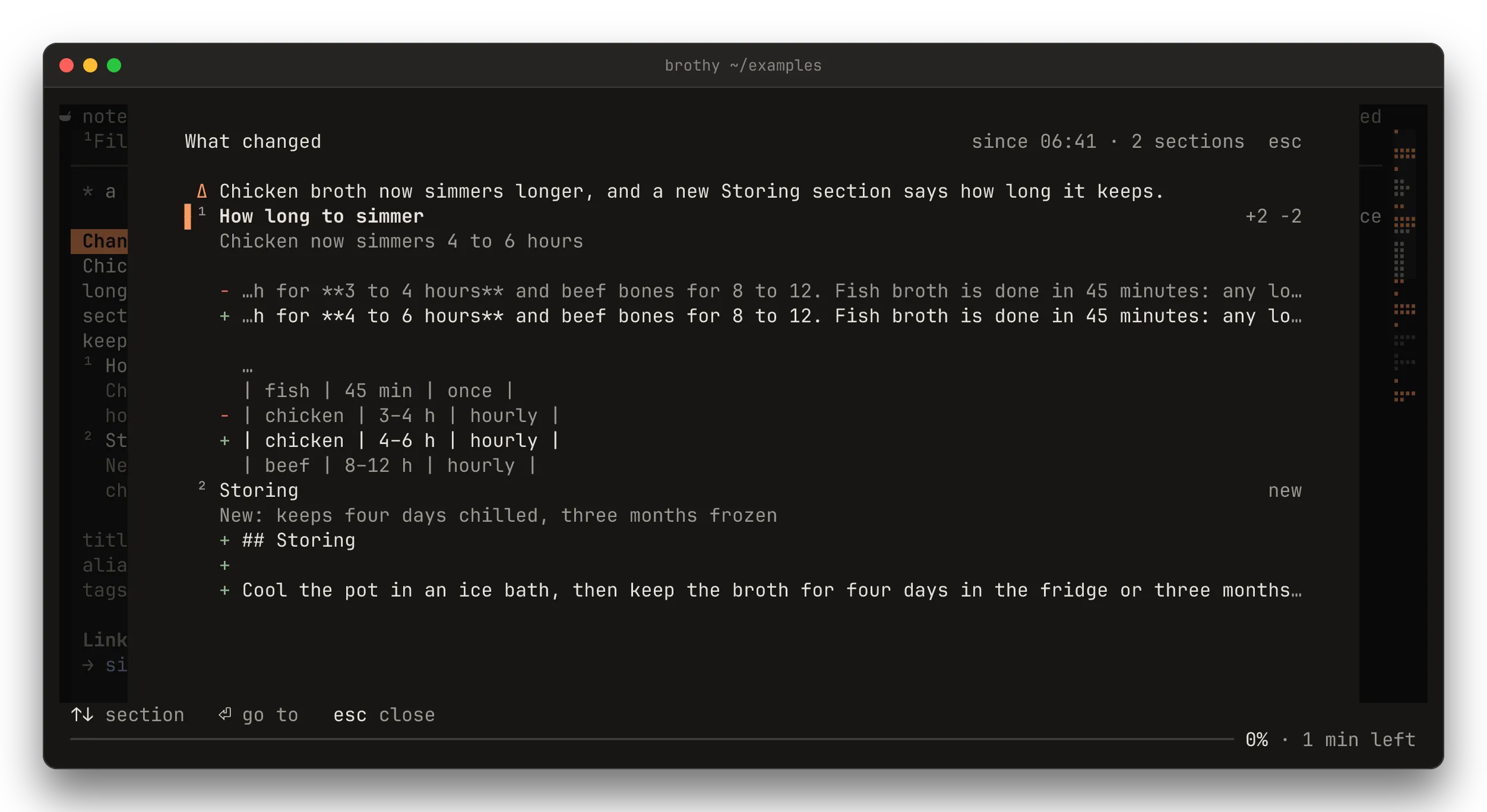
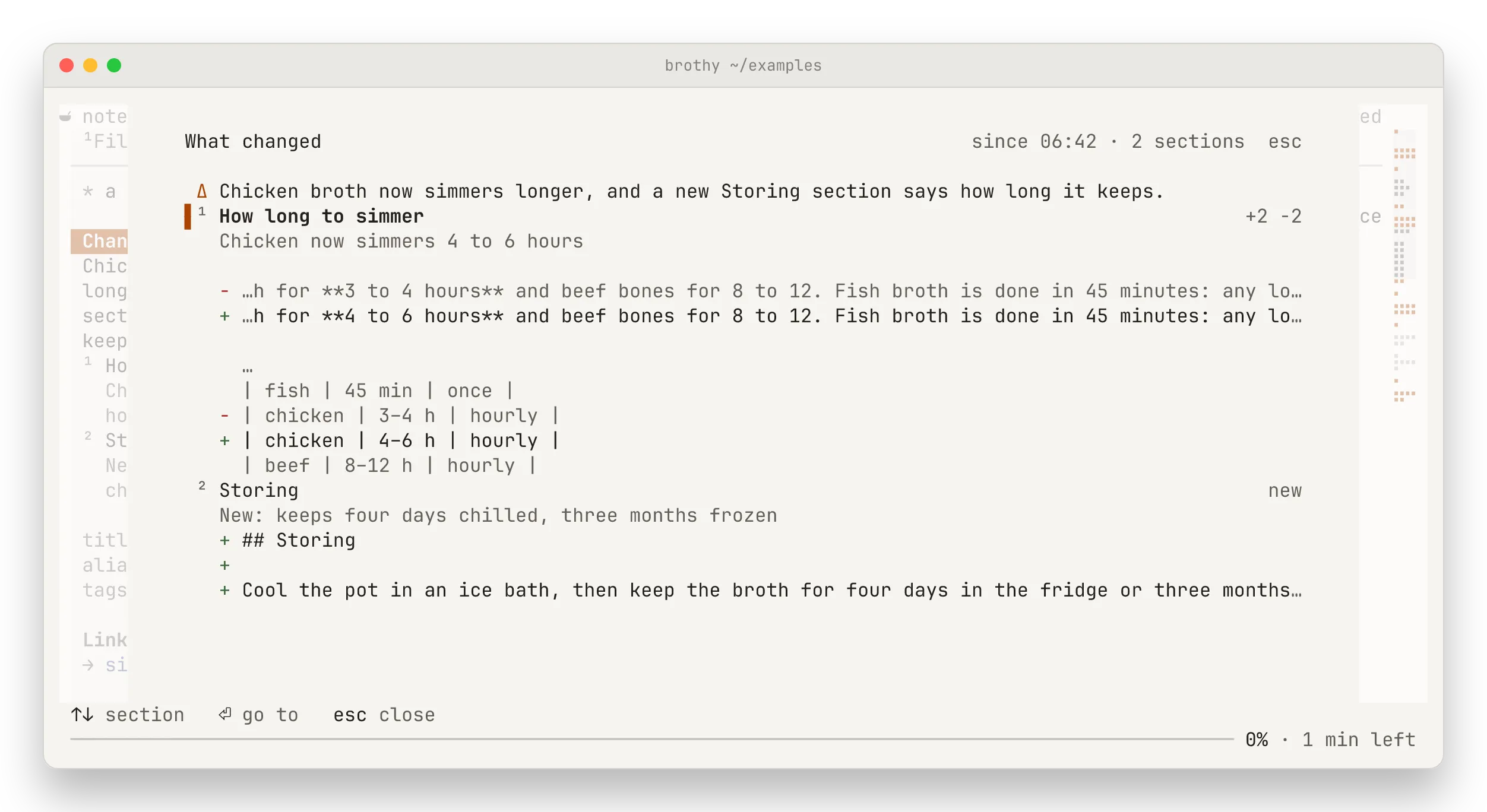
⏎ on the Changed label in Info opens What changed, a popup with every changed section and its real lines, as written: − for a removed line, + for an added one, a line of context around them, … between hunks. A line wider than the popup is cut around the change. An added or removed section shows its first 20 lines, then … 12 more lines; a section too big to compare line by line shows its new text under rewritten · showing the new text. It works without an ai block.
Once D has explained the change, the summary sits on top and each section’s note under its name. D works inside the sheet too: a ▍ asking <model> · 3 s row holds the top while the model works, and the sheet stays where it is.
- ↑ ↓ (or j k, tab) move between sections, PgUp PgDn page.
- ⏎ (or a click) closes the sheet and goes to the section, landing as above; a removed section has nowhere to go (
section removed). - esc closes it. A reload that leaves the note as it was closes it too.